Visual Studio如何用动态多态进行计算
在visual studio中利用动态多态来进行计算,首先要理解多态的概念。多态允许以统一的方式处理不同类型的对象。
假设我们有一个基类“shape”,它有一个虚函数“area”用于计算面积。然后创建两个派生类,比如“circle”和“rectangle”,它们各自重写“area”函数以实现自身的面积计算逻辑。
以下是具体步骤:
1. 创建基类:
```cpp
class shape {
public:

virtual double area() const = 0;
};
```
这里将“area”声明为纯虚函数,使得基类不能被实例化,必须由派生类来实现。
2. 创建派生类:
```cpp
class circle : public shape {
private:
double radius;
public:
circle(double r) : radius(r) {}
double area() const override {
return 3.14 * radius * radius;
}
};
class rectangle : public shape {
private:
double width, height;
public:
rectangle(double w, double h) : width(w), height(h) {}
double area() const override {
return width * height;
}
};
```
3. 使用动态多态进行计算:
```cpp
int main() {
shape* shapes[2];
shapes[0] = new circle(5);
shapes[1] = new rectangle(4, 6);
for (int i = 0; i < 2; ++i) {
std::cout << "area of shape " << i + 1 << " is: " << shapes[i]->area() << std::endl;
}
for (int i = 0; i < 2; ++i) {
delete shapes[i];
}
return 0;
}
```
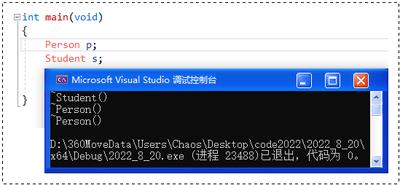
在上述代码中,通过基类指针数组存储不同派生类的对象,并调用虚函数“area”。由于动态绑定的特性,会根据实际指向的对象类型调用相应的“area”实现,从而实现了动态多态计算不同形状的面积。
相关下载





相关文章
更多+-
07/22
-
07/15
-
07/13
-
07/08
-
07/03